


Google Maps Go
4.16.80K Reviews
App Specs
- Version
- Varies with Device
- Updated On
- License
- Free
- Downloads
- 1,000,000,000+
- Developer
- Google LLC
- Categories
- Travel & Local
- Platform
- Android, iOS
Screenshots
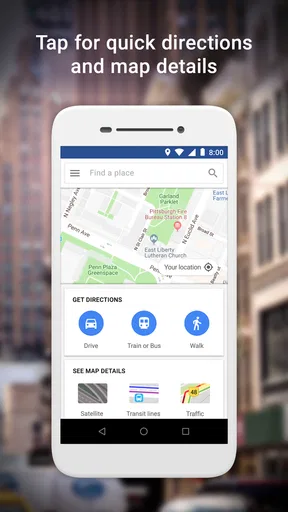
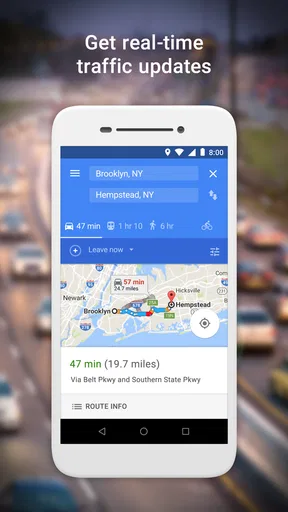
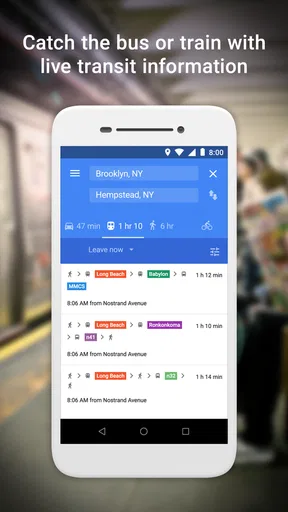
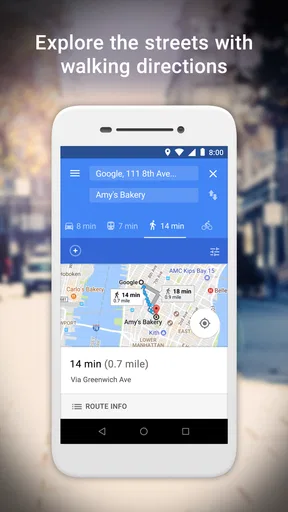
 Analysis by AppCompare
When several people use the same phone or tablet to look up places, a map app becomes part of the household routine, not just a travel tool. I find Google Maps Go most useful when someone needs a quick route or nearby address without loading a heavier experience than their device can comfortably handle. It is a free travel and local app from Google LLC, and its lighter approach is especially appealing on older phones or devices shared between errands.
A practical fit for shared devices
Picture a family getting ready to leave: one person checks the route to a shop, another looks up a nearby place to eat, and someone else needs directions to a pickup point. A simpler map app can make those brief tasks feel less demanding on a modest device. In this kind of situation, I would use it for finding a destination and checking the journey before setting off, rather than expecting it to serve as a complete trip-planning system.
The useful household habit is to treat the screen as a shared reference, not as a shared account. If people take turns using one device, they can search for the place they need and then hand it over, but personal searches and saved information may depend on whichever account is active. I would check that account before using a shared phone for anything personal, and avoid assuming that one person’s history or preferences will automatically suit everyone.
Guides and Analysis on Google Maps Go
Keep setup simple and expectations clear
Because the interface is familiar to anyone who has used Google Maps, I would not expect a long learning period for basic searches and directions. That makes it easier to pass the device to another household member without giving a tutorial. Still, shared use works best when the person holding the phone checks the destination and route themselves; a map is only helpful if the right address has been selected.
There is also a practical difference between looking up a route and relying on the phone throughout a journey. Before leaving, I would make sure the device has a usable connection and enough battery for the trip. A lightweight app does not remove those everyday constraints, and a route that loads at home may be less convenient to consult if coverage becomes weak on the way.
Coordinating without overcomplicating the trip
For household coordination, the strongest use is quick and concrete: share the destination verbally, look it up on the device everyone can access, and agree on where to meet. If plans change, search for the new place rather than assuming an earlier route still reflects the current destination. This is particularly handy for errands with several stops, where a map helps settle the next leg without needing a full itinerary in advance.
I would not choose it as the only preparation for a remote outing. Since offline maps are not available in this experience, I would check the route while connected and consider another plan for places where a signal may disappear. For a familiar neighborhood, that limitation may barely matter; for an unfamiliar rural drive, it changes how much I would trust the phone as the sole guide.
Worth Reading Before You Choose

QuizzLand Review: A Good Fit for Short Trivia Breaks, Not Every Player

Basketball Stars: Multiplayer Is Fast, but Can It Recover When Matches Go Wrong?

WEBTOON Turns Phone Updates Into a Better Reading Routine

How Alibaba.com Dominates the B2B Marketplace

Metro's Quiet Rise: Redefining Mobile Communication

Harnessing Ecosystem Power with Phone Tracker by Number
Age, trust, and everyday judgement
The app is rated Everyone, which makes its stated age classification broad, but that is not the same as a household supervision feature. I would still decide who may use a shared device, which account is open, and whether a child should be using it independently while travelling. A map can help with directions, but it cannot replace an adult’s judgement about where a child is going or how they should get there.
Google Maps Go has an average rating of 4.1 from around 356,000 ratings, and it has been installed over a billion times. Those figures suggest it is widely used, but they would not be my main reason to choose it. I would base that choice on the phone in hand, the type of trip, and whether the streamlined experience covers what the household actually needs.
So, I’ve been playing around with Google Maps Go lately, and honestly, it’s been quite the experience! If you’ve ever felt like your regular Google Maps app was a bit too heavy on your phone, then this lighter version might be just what you need. Let’s dive into how it stacks up.
Getting Started with Google Maps Go
First things first, Google Maps Go is like that friend who travels light. It’s designed to be a more streamlined version of the full app, perfect for phones that don’t have a ton of storage or processing power. I downloaded it from the Play Store, and to my delight, it took up hardly any space. We’re off to a good start!
Once installed, I noticed that the interface is quite similar to the regular Google Maps, which is great because there’s no steep learning curve to worry about. It’s all about simplicity and efficiency here.
Navigation and Usability
Now, onto navigation. I took it for a spin around my neighborhood and was pleasantly surprised at how quick and responsive it was. Even with a slower connection, it managed to load routes without much fuss. If you’re someone who’s always on the go, this app won’t keep you waiting.
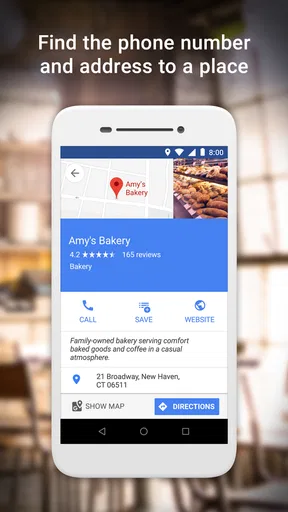
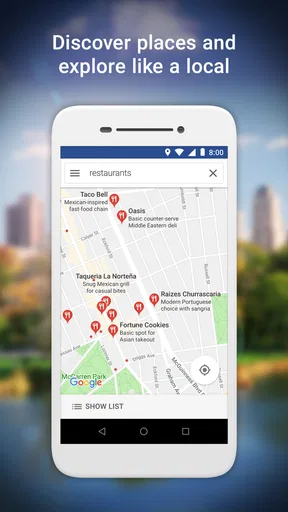
What’s really neat is that it still offers all the essential features you’d expect. You can get directions, view traffic updates, and even find nearby places like restaurants and gas stations. It’s like having a mini navigator in your pocket.
Performance on Low-End Devices
This is where Google Maps Go shines. On older or less powerful devices, it performs smoothly without gobbling up your RAM. It’s optimized to run on devices with limited specs, which is a huge plus if you’re not carrying the latest smartphone. The app doesn’t freeze or crash, making it a reliable choice for everyday use.
Data Usage and Connectivity
For those of us keeping an eye on our data usage, this app is a breath of fresh air. It’s designed to use less data, so you won’t find yourself eating up your monthly limit just by checking directions. Plus, it can operate on 2G networks, which is a lifesaver in areas with spotty coverage.
However, it’s worth mentioning that while it’s great for basic navigation and information, some features like offline maps aren’t available. So, if you’re heading somewhere remote, you might want to plan ahead.
Choosing it over other map options
Compared with the full Google Maps app, this version makes most sense when a phone is short on storage or feels sluggish with larger apps. The fuller app is the better choice if you depend on capabilities beyond straightforward searching, traffic checks, and directions. I would not switch a newer phone to the lighter option just for the name; the trade-off is worthwhile only when a simpler footprint solves a real problem.
Against the map apps already on a phone, the decision is less about loyalty and more about local usefulness. If another option has the maps you need readily available offline or fits a particular navigation workflow better, I would keep using that for trips where connectivity is uncertain. For ordinary city errands, where I mainly want to find an address and see traffic, Google Maps Go is easier to recommend as a lean everyday alternative.
Small habits that make it more dependable
One useful habit is to search for a destination by its full name and check the result before starting, especially when several places have similar names. I also like checking the route while I still have a reliable connection, then confirming that the displayed destination matches the place I intend to visit. These small checks matter more than tapping through quickly; a lightweight interface cannot prevent a wrong search result.
For a day with multiple stops, I would handle one leg at a time and recheck the next destination after finishing the first. That keeps the route aligned with changed plans and avoids treating an earlier search as a complete itinerary. If the trip depends on detailed preparation or uninterrupted guidance, I would use the full app or another suitable navigation option instead of assuming this simpler one covers every need.
Who will appreciate the lighter approach
I would recommend it to someone with an older or entry-level phone, a device with limited free space, or a household that mostly needs quick searches and basic directions. It can also suit a person who finds a full-featured map app unnecessarily busy for short local trips. The app is free, which makes trying it straightforward, though its value still depends on whether its reduced scope matches your routine.
I would skip it as a primary choice if offline access is essential, if you regularly plan complex journeys, or if you need a richer set of map tools than this streamlined experience provides. It is also not a substitute for discussing meeting points and travel plans with other people: a map can show a route, but coordination still depends on everyone agreeing on the destination and checking that they are looking at the same place.
Overall Experience
Overall, my experience with Google Maps Go has been really positive. It’s a no-frills, straightforward app that delivers exactly what it promises: efficient navigation without the extra weight. It’s perfect for anyone looking to save space and data without sacrificing the essentials.
In a world where every app seems to demand more and more from our devices, it’s refreshing to see an option that’s both practical and accessible. Whether you’re using an older phone or just want a simpler version of Google Maps, this app is definitely worth checking out. Happy navigating!
My household verdict
For a shared household phone, I would keep it as a quick reference for local directions and nearby places, while being deliberate about the active account and the limits of connected use. Its simple feel is a genuine advantage when the device is modest, but the lack of offline maps is a meaningful reason to prepare differently for remote travel. If those boundaries fit your routine, I think it is a sensible, free travel companion; if your journeys demand richer tools or dependable offline use, another mapping option will serve you better.
Pros
- Lightweight and fast performance.
- Accurate navigation features.
- Offline maps for basic use.
- Easy integration with Google services.
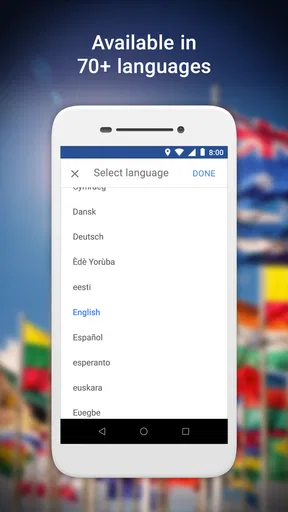
- Supports multiple languages.
Cons
- Limited features compared to full app.
- No real-time traffic updates.
- Requires internet for full functionality.
- Lacks detailed street view.
- Minimal customization options.
FAQs for Google Maps Go
What is Google Maps Go and how does it differ from the regular Google Maps app?
Google Maps Go is a lightweight version of the standard Google Maps app, designed specifically for devices with limited storage and slower internet connections. It offers essential navigation features like location tracking, step-by-step directions, and public transit information, but lacks some advanced functionalities such as offline maps and detailed street views.
Can I use Google Maps Go offline?
No, Google Maps Go requires an active internet connection to function. Unlike the full Google Maps app, it does not support offline map downloads. This makes it ideal for users with limited storage space but may not be suitable for those needing navigation in areas with poor connectivity.
Does Google Maps Go support turn-by-turn navigation?
Yes, Google Maps Go provides turn-by-turn navigation. However, it utilizes a simplified interface with fewer live updates and lacks voice-guided navigation. This is designed to consume less data and processing power, making it suitable for older devices or those with limited data plans.
Is Google Maps Go compatible with all Android devices?
Google Maps Go is compatible with most Android devices, especially those with lower specifications and limited RAM. It is part of Google's initiative to provide essential apps for entry-level smartphones, ensuring functionality without compromising performance on less powerful devices.
Can I access public transit information on Google Maps Go?
Yes, Google Maps Go includes public transit information, allowing users to view bus and train schedules, routes, and estimated travel times. This feature is streamlined for efficiency, providing key transit details without overwhelming the device's resources, making it ideal for users in urban environments.


